Choose a scene
Compare a neon solo, an orange-studio duo and a crowd-wave performance.
Watch real template examples. Personalized generation and checkout are not open yet.
PHOTO-TO-VIDEO / ORIGINAL AUDIO
Your photo. Your stage. Your rap.
One photo for your solo. Two for your duo. Explore short performances with original generated audio, from a neon dance floor to an orange studio. Watch the real examples before choosing your scene.
PUBLIC PREVIEW · FOUR REAL EXAMPLES
Watch real template examples. Personalized generation and checkout are not open yet.
Watch examples ↗Free to watch. No account, upload or payment required.
Compare a neon solo, an orange-studio duo and a crowd-wave performance.
Play the real 12-second examples and compare their scene, movement and audio.
Personalized generation is in preparation. No uploads or purchases are open yet.
Compare four real 12-second examples. Choose the faces, scene and sound that fit your idea.
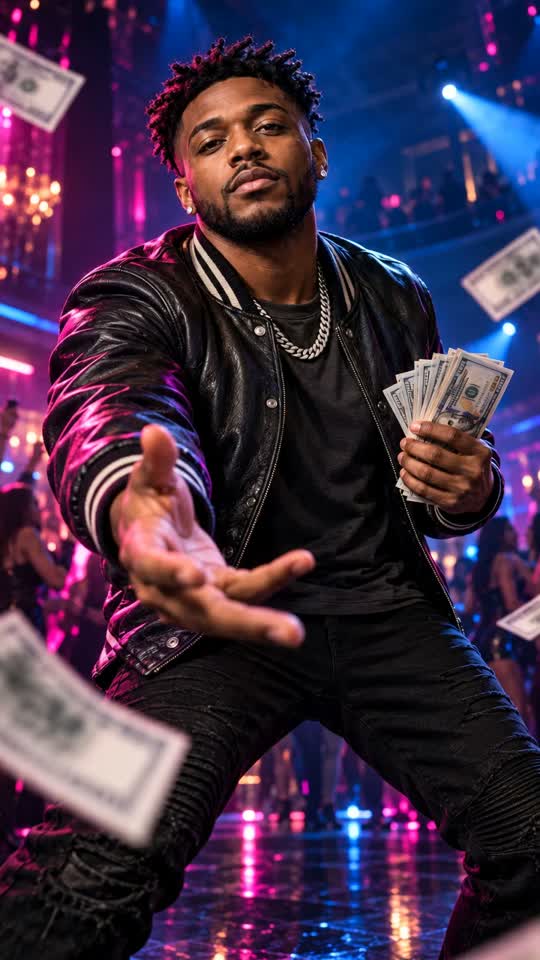
Compare two real neon solo examples, with their own scenes and original generated audio.
The four saved video examples are free to watch. Personalized video generation, credit packs and subscriptions are not available to buy yet.
We are not accepting payments through PayPal, Creem or any other provider. Final prices, delivery terms and the applicable refund policy will be shown before paid services open. No card details are collected on this site.
Watch examples ↗Pricing ↗An AI rap video generator turns a portrait into a new performance scene. Rapsona focuses on short vertical clips rather than a full-length music video. Start by watching the examples: the faces, camera movement and sound tell you more than a template name alone. Personalized generation is still in preparation; this public preview does not accept uploads or create new results.
Hotel Lobby puts two performers beneath a hanging microphone in an orange studio. The male and female Spend Dat-inspired solos each have a different opening composition and neon stage. The STORM-inspired scene keeps one lead still while a fictional adult crowd moves behind them. It uses instrumental music, without a rap vocal.
Use one clear adult portrait for a solo or crowd lead, and two separate portraits for the orange duo. Each image should show a single unobstructed face in even lighting. JPG, PNG and WebP are supported, up to 10 MB each. Use photos you have permission to upload; a group photo is not the supported duo input.
The three rap examples contain generated vocals and a beat. Their audio was made for the clips; the original trend recordings and artist voices are not supplied. The crowd-wave example has an electronic instrumental. A photograph provides a visual reference, not a recording of your real voice. Listen to the complete sample to choose the right direction.
The four selected examples are 12 seconds, 720 × 1280 and vertical 9:16. These are the target settings for the selected templates, not a promise that rendering takes 12 seconds. AI-generated motion and facial detail can vary. Review both performers, hands and sound before deciding whether a result is ready to share.
The examples are free to watch. Personalized videos are not available for purchase yet, and this site does not take real payments. When production opens, the selected format and price must appear before you confirm. A confirmed failure and a task still waiting for its provider are different states; an interrupted screen is not a reason to submit another paid task.
A lyric draft, an audio song and a photo performance solve different problems. This release focuses on four saved video examples. Writing tools and personalized generation are not open on the public site. Choose a video example to explore the people, scene and sound first.
A duo can be a group-chat surprise; a solo can be your own stage entrance. Keep the joke friendly and make sure everyone pictured agrees to the use. Review the finished file and the destination platform’s AI-content rules before posting. Rapsona is an independent tool with no official artist or label affiliation.
Choose a scene and review the saved example with sound. The planned workflow will use one portrait per performer to create a new opening frame and a new video. Personalized generation and photo uploads are not open yet.
The selected rap templates request generated vocals and a beat together with the video. They do not require a song upload or a lyric sheet. The STORM-inspired crowd template uses instrumental audio instead.
The two neon solos and the crowd-wave lead each use one portrait. Hotel Lobby uses two separate portraits, one per performer. There is no three-person upload option for these four templates.
No. A photo is used as a visual reference. These templates do not record or clone your real voice.
You can watch all four example videos for free. Personalized video generation is not yet on sale. No free personalized render is offered in this release.
No. The samples use generated music and vocals, or instrumental audio in the crowd scene. They do not include a license to the original songs or promise the original choreography.
The orange duo is designed for two consenting adults, with one separate portrait for each. Photo one maps to the left performer and photo two to the right.
Yes. The four template videos are saved generated examples. They show their own tested scenes and sound; they are not customer results or a guarantee of the outcome for every new photo.
The selected photo templates create new audio with the scene. Uploading an existing song for lip sync or turning a full track into a music video is not a supported input for these templates.
Exact lyric delivery and custom name pronunciation have not been verified for these fixed video templates. A text draft is not automatically sung word for word in a clip.
Automatic subtitles are being prepared for v1.1. They are not included in the current saved examples.
The current orange template shows a two-person rap performance. A dedicated alternating-turn battle version is being prepared for v1.1.